Step-by-Step Guide: Setting Up Your Avalara Free Account for US Sales Tax
0
Step 1: Sign Up for a Free Developer Account
https://developer.avalara.com/freeTrial/
Click Start AvaTax Trial
Fill in your details and click Next. On the page Review your order click Start your Free Trial
Step 2: In your personal account, click on the icon with three stripes in the upper left corner.
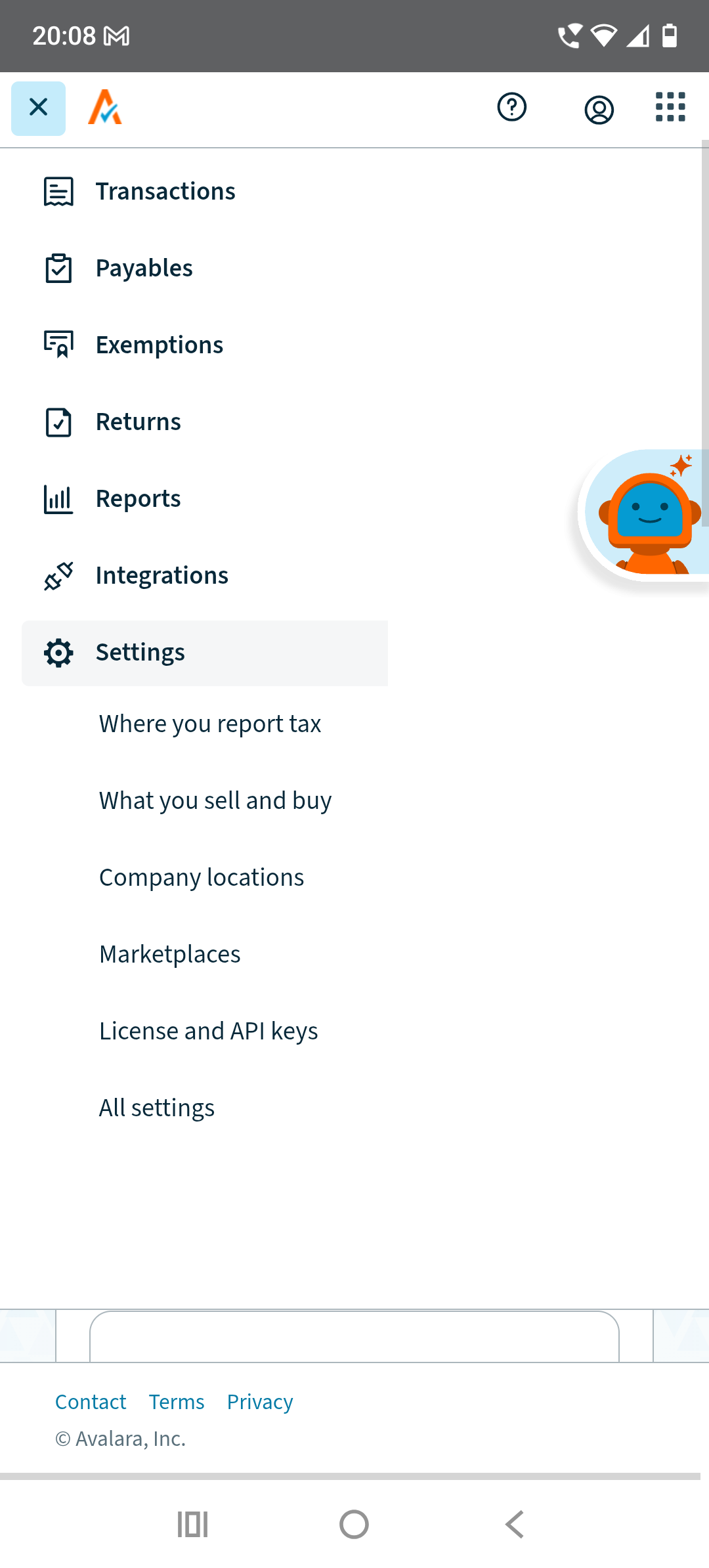
In the window that appears, click Settings - License and API keys
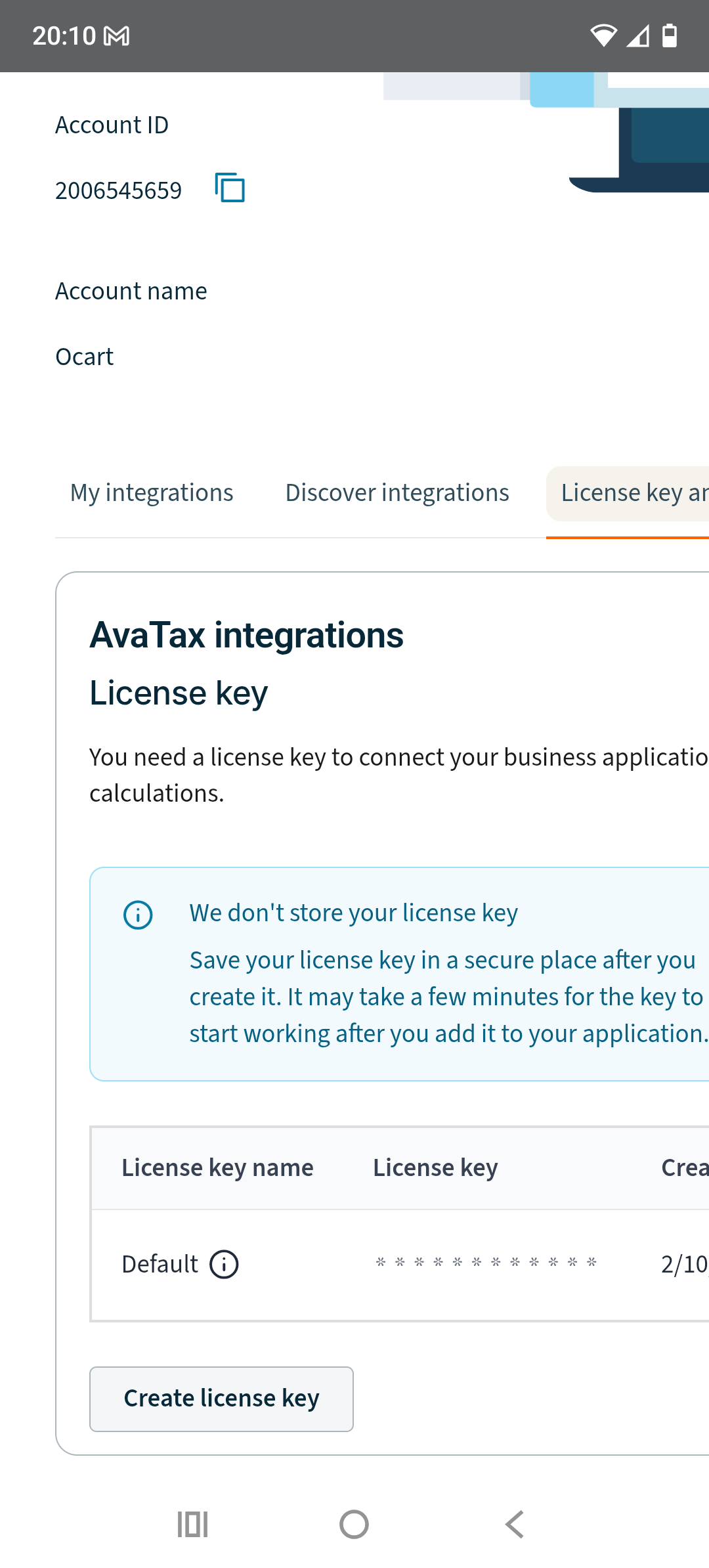
On the License and API keys page, click Create License key
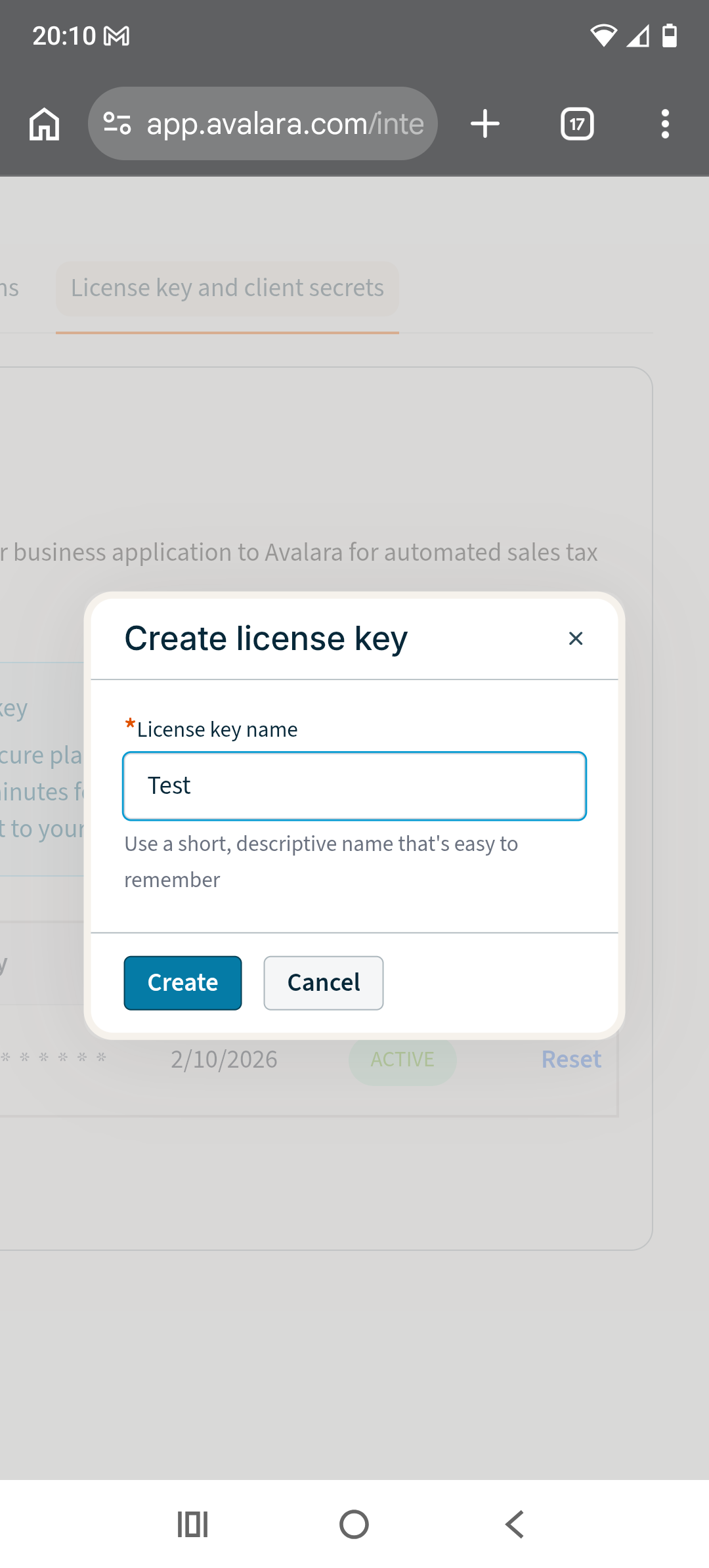
Enter any key name and click Сreate.
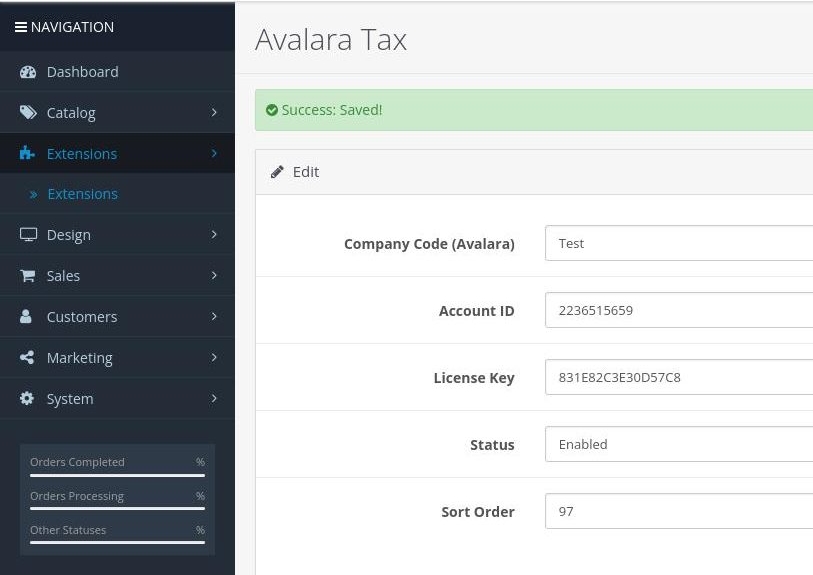
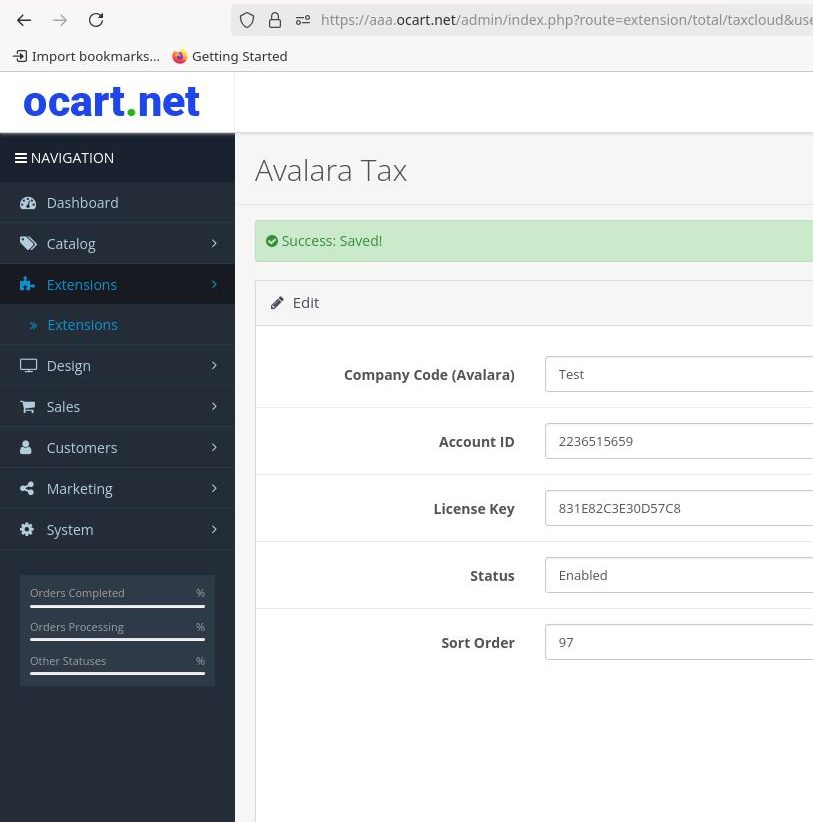
Step 3: After that, copy the License Key Code, copy Account ID and Company Code and paste them into the Avalara Tax module on your new website and Save